A few updates landed in March. Here’s what’s live.
The government’s Renters’ Rights Act Information Sheet is now live on GOV.UK.
If you have existing tenants on a written AST, you have until 31st May 2026 to serve it, or face a civil penalty starting at £4,000. You can now send the Information Sheet directly from COHO, including bulk send across all tenancies. Everything you need to know is in our guide.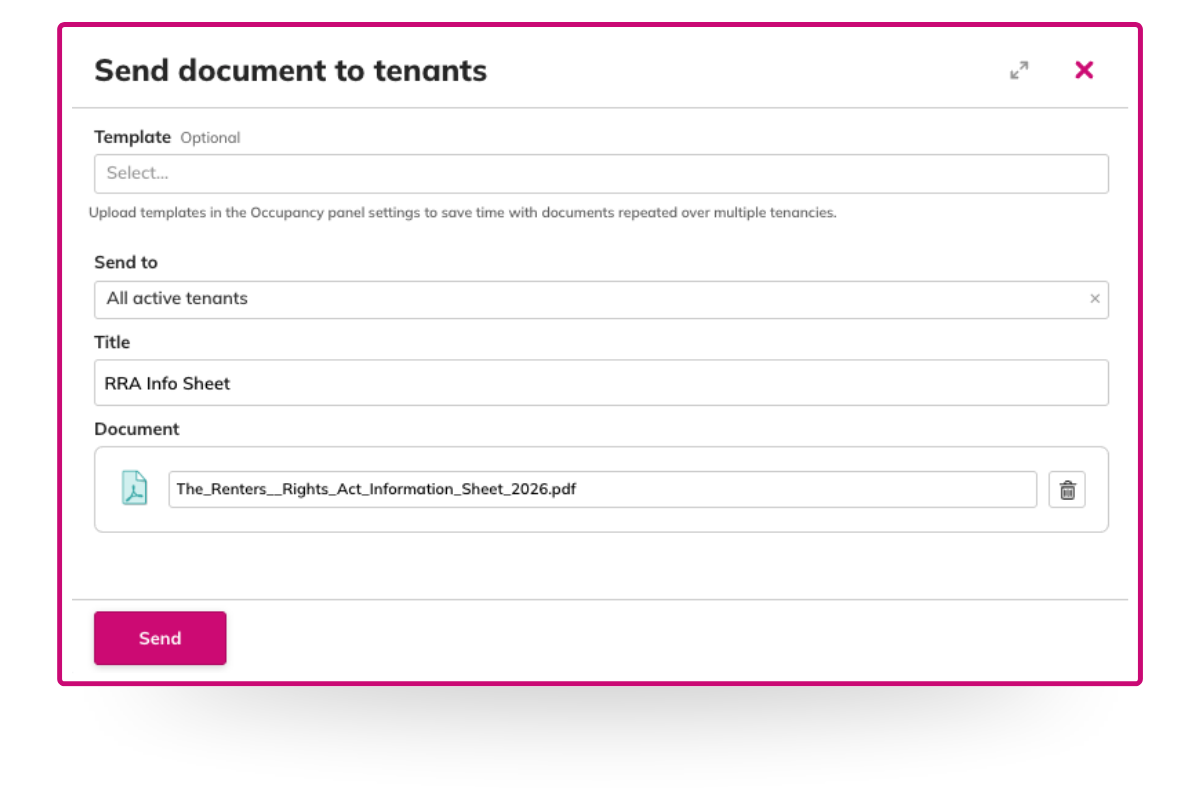
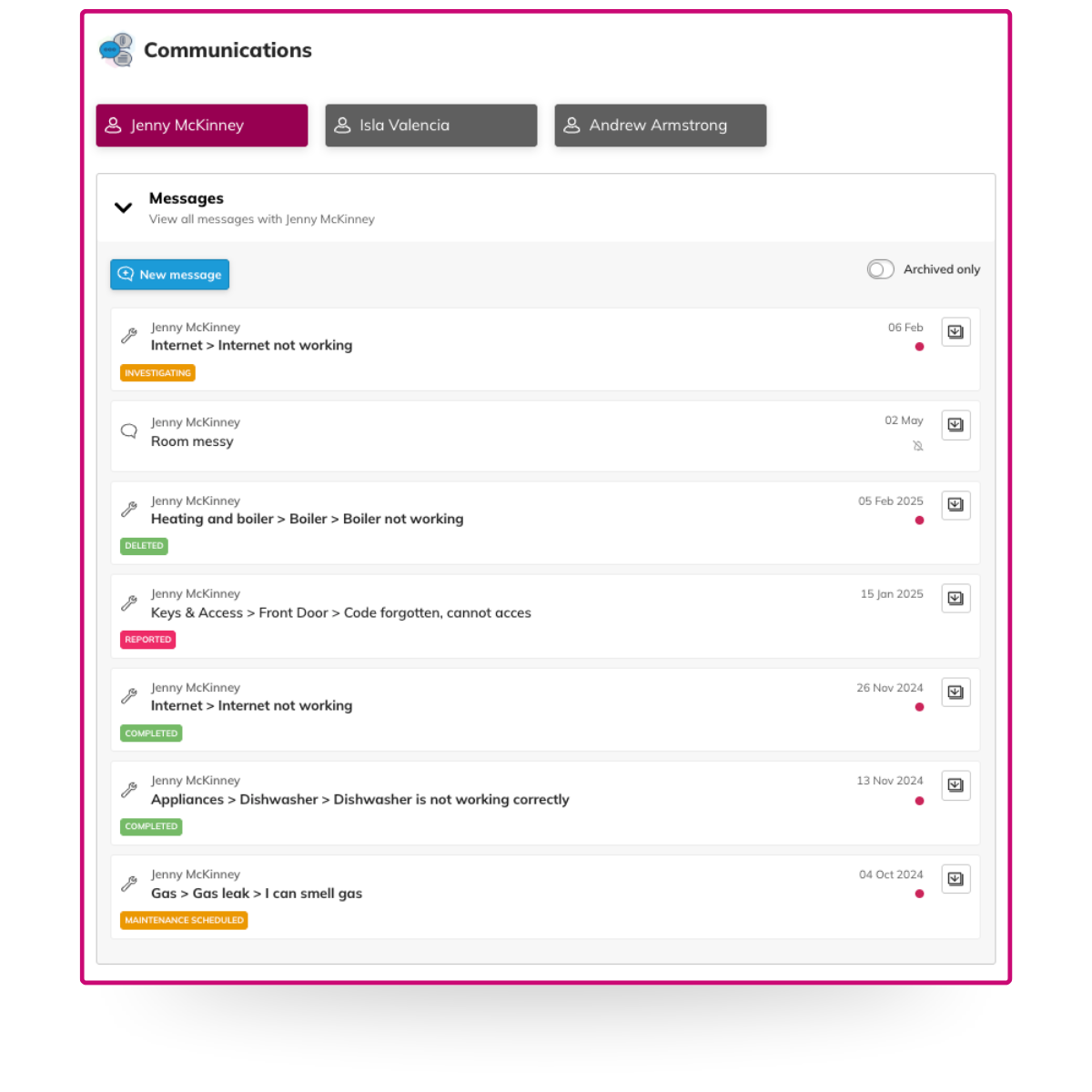
All tenant communications in one place
We’ve added a Communications panel to the Tenancy page. A single timeline showing everything you’ve sent to a tenant. Messages, compliance documents, contracts, credit control notices, all in order.
No more jumping between screens. No more “did someone already send that?” mid-conversation with a tenant. Open the tenancy page, click Communications, and you’ve got the full picture.
Contracts now visible in the Owner Dashboard
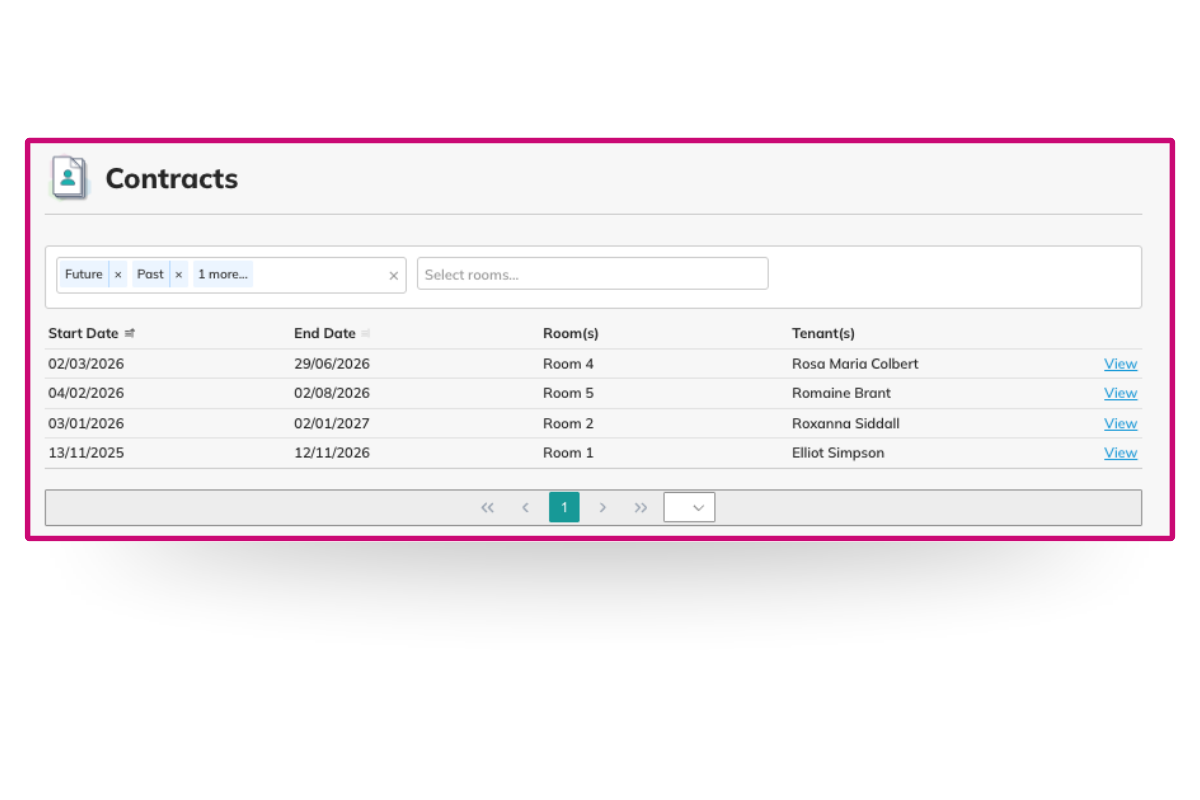
Property owners can now view their tenancy agreements directly in COHO. Current contracts, historical ones, whether they signed themselves or their agent did. Open the Owner Dashboard, navigate to a property, and click the Contracts panel.
Message multiple properties by building or tag
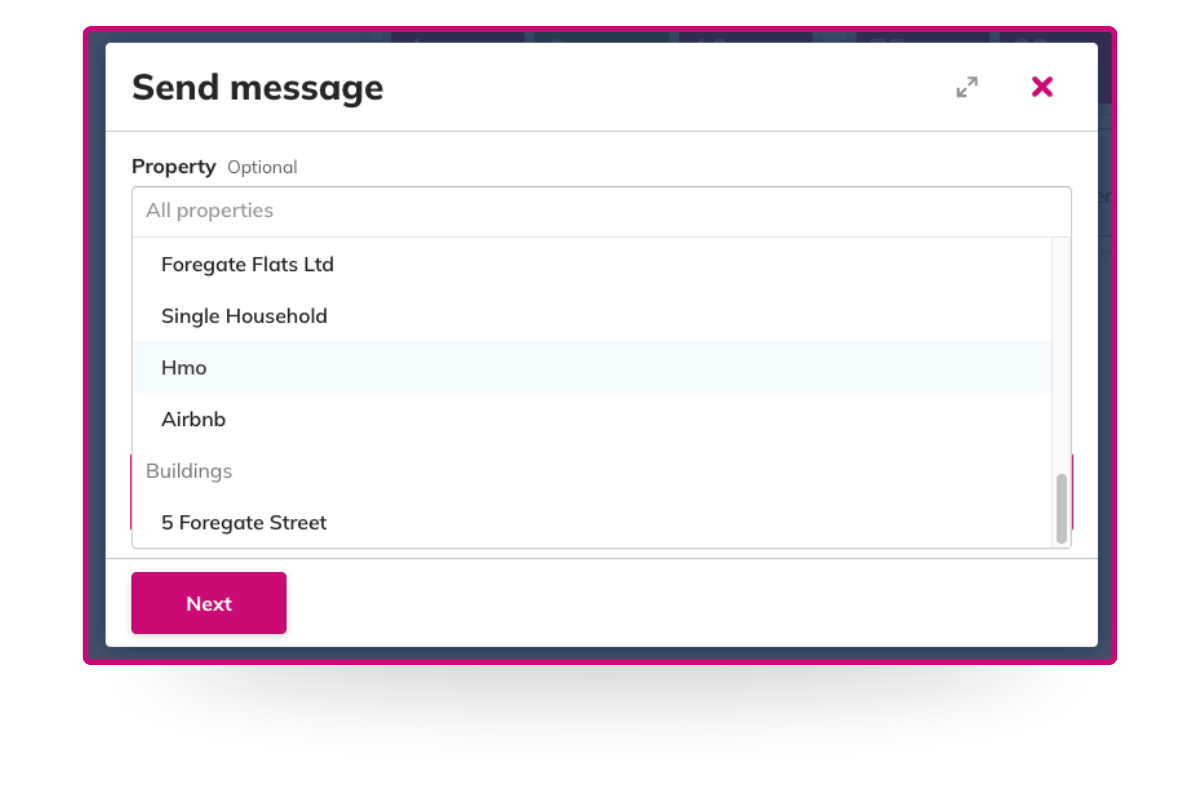
When creating a conversation, you can now select properties by building or tag rather than picking them out one by one. Useful if you need to reach everyone in a block, or a specific group at once. You’ll see the updated dropdown next time you create a conversation.
We’re always building, and a lot of what lands in COHO starts with feedback from the people using it. If there’s something you’d like to see, let us know.
For regular updates, join our COHO WhatsApp community.
A few updates landed in March. Here’s what’s live.
The government’s Renters’ Rights Act Information Sheet is now live on GOV.UK.
If you have existing tenants on a written AST, you have until 31st May 2026 to serve it, or face a civil penalty starting at £4,000. You can now send the Information Sheet directly from COHO, including bulk send across all tenancies. Everything you need to know is in our guide.
All tenant communications in one place
We’ve added a Communications panel to the Tenancy page. A single timeline showing everything you’ve sent to a tenant. Messages, compliance documents, contracts, credit control notices, all in order.
No more jumping between screens. No more “did someone already send that?” mid-conversation with a tenant. Open the tenancy page, click Communications, and you’ve got the full picture.
Contracts now visible in the Owner Dashboard
Property owners can now view their tenancy agreements directly in COHO. Current contracts, historical ones, whether they signed themselves or their agent did. Open the Owner Dashboard, navigate to a property, and click the Contracts panel.
Message multiple properties by building or tag
When creating a conversation, you can now select properties by building or tag rather than picking them out one by one. Useful if you need to reach everyone in a block, or a specific group at once. You’ll see the updated dropdown next time you create a conversation.
We’re always building, and a lot of what lands in COHO starts with feedback from the people using it. If there’s something you’d like to see, let us know.
For regular updates, join our COHO WhatsApp community.