January was a busy one. Our dev team spent Christmas shipping features instead of eating mince pies, so we’ve spent the month catching up on announcements. Here’s everything that landed.
Export your property owner list
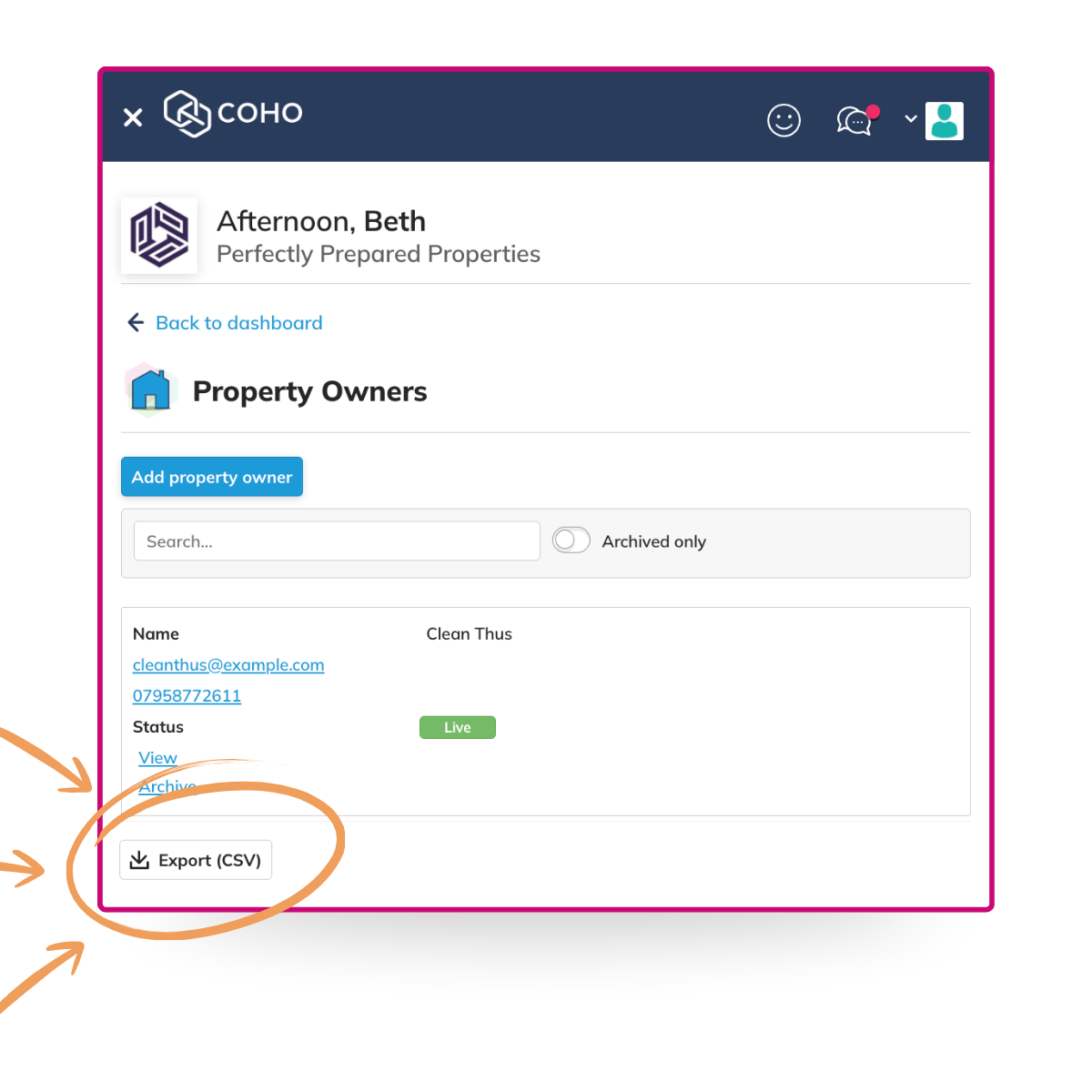
A small one, but genuinely useful. You can now export a CSV of your property owners directly from the Property Owners panel. Filter the list however you need, hit Export, and it’s ready to use. No workarounds, no copying things out manually.
Student lets on the Listings Widget
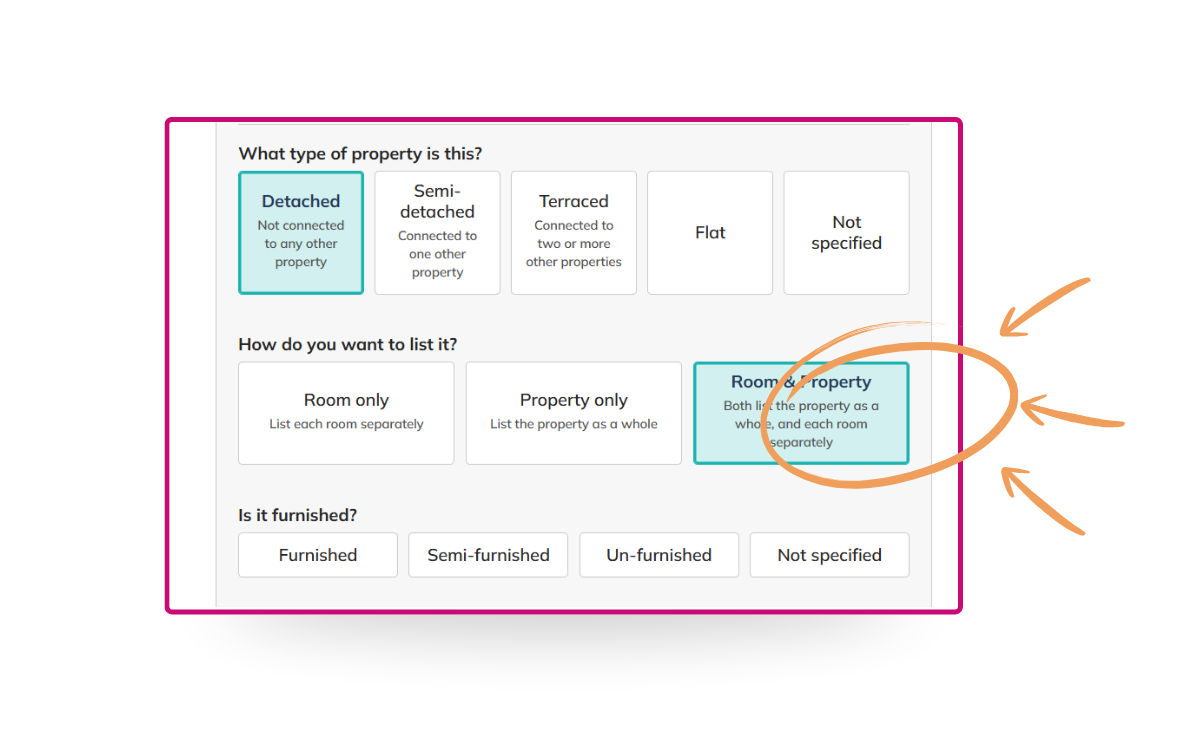
The COHO Listings Widget has been updated for student property managers. You can now display a house as a single property with multiple rooms, rather than listing each room individually. That’s how student lets are actually marketed and priced, typically per person per month, so the widget now reflects that.
Availability updates pull live from COHO, so when a room becomes free or nearly free, your website updates automatically. No manual edits needed.
Maintenance performance reports
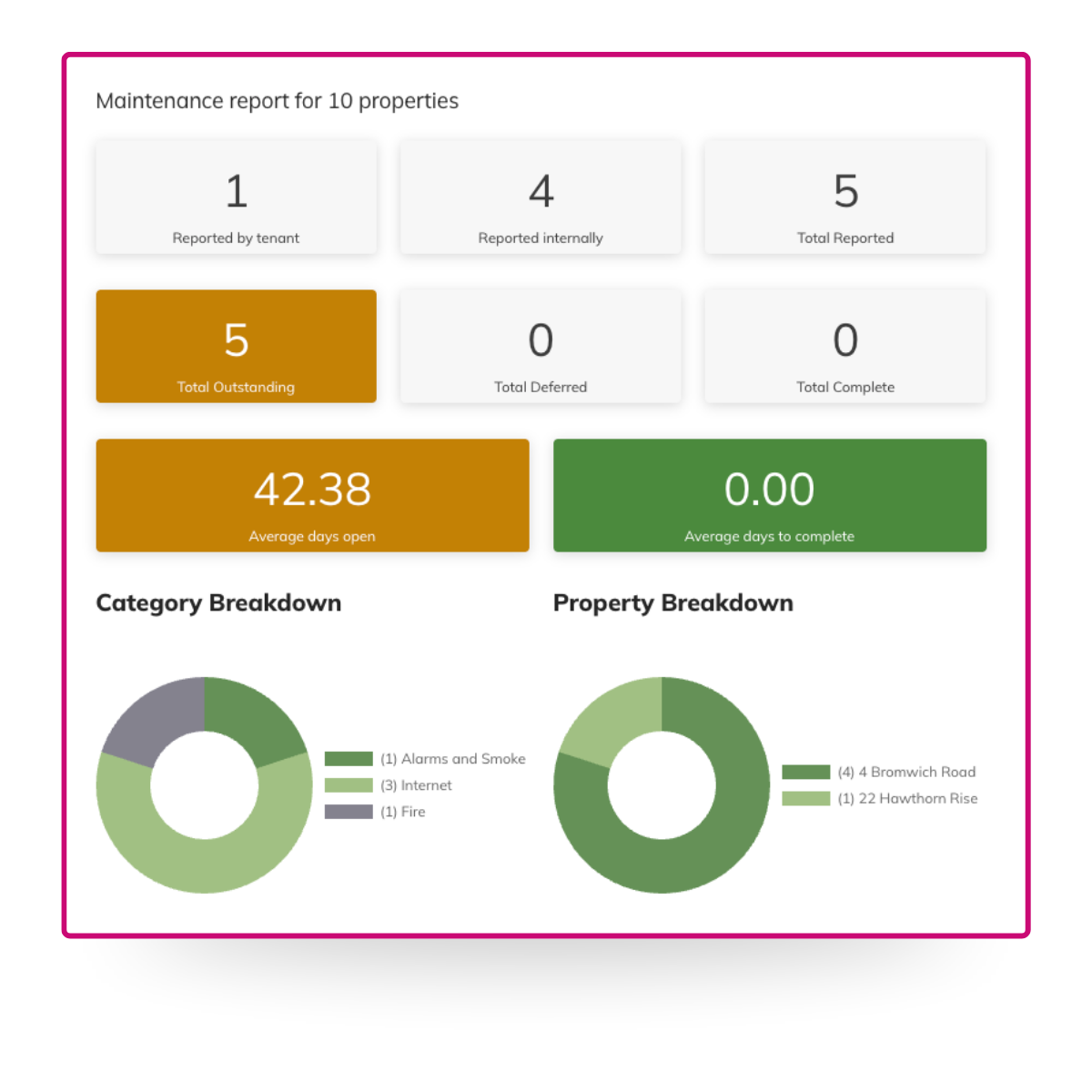
You can now generate maintenance performance reports inside COHO. Open the Maintenance panel, select Generate report, fill in the form, and you’ll get a dashboard showing response times, completion rates, and where jobs are getting stuck.
If you manage multiple teams, or you’ve just been relying on gut feel and chased spreadsheets to gauge performance, this gives you a standardised view without having to build it yourself.
Context-aware help across the app
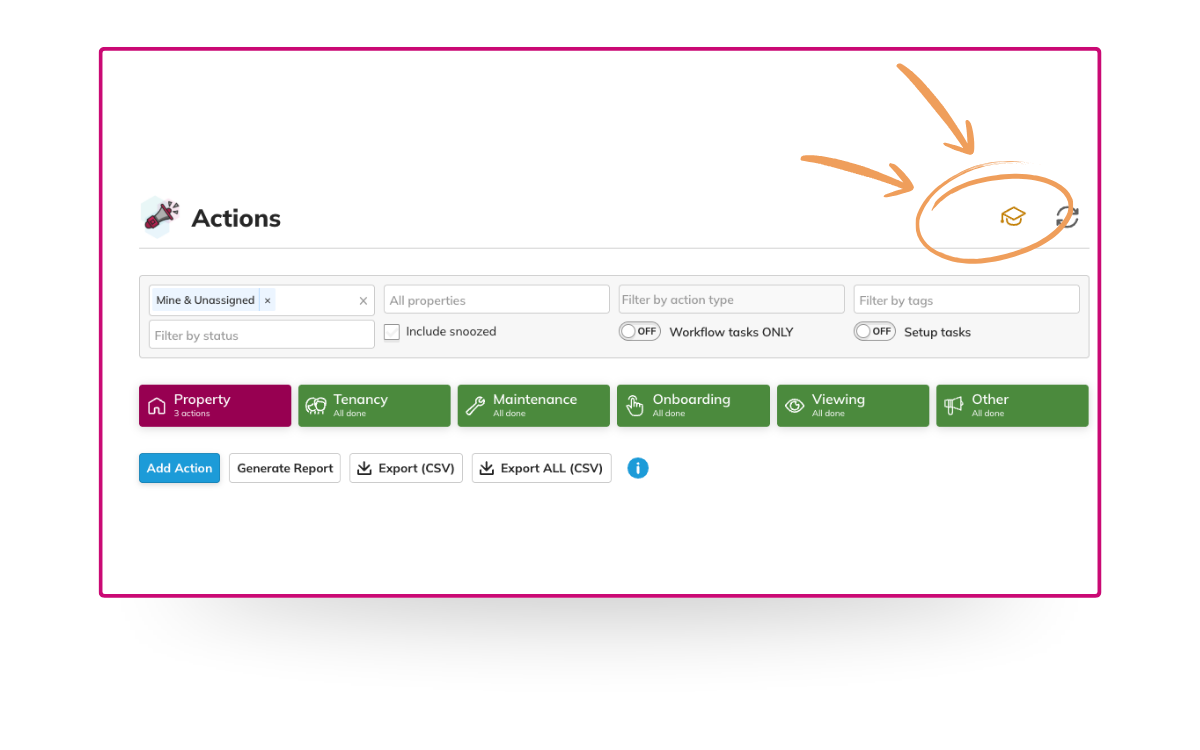
There’s now a Knowledge Base button built into each section of COHO. It takes you straight to the help articles relevant to wherever you are in the app, so if you’re in Tenancies, you get tenancy help; in Property Owners, you get property owner help. No hunting through generic FAQs. It’s live across the app now.
Property owners can view their tenancy agreements
Property owners now have a Contracts panel inside their dashboard, where they can see current and past tenancy agreements for their properties. That includes agreements they’ve signed directly, or that an appointed agent has signed on their behalf. Clean, simple access to the paperwork that matters to them.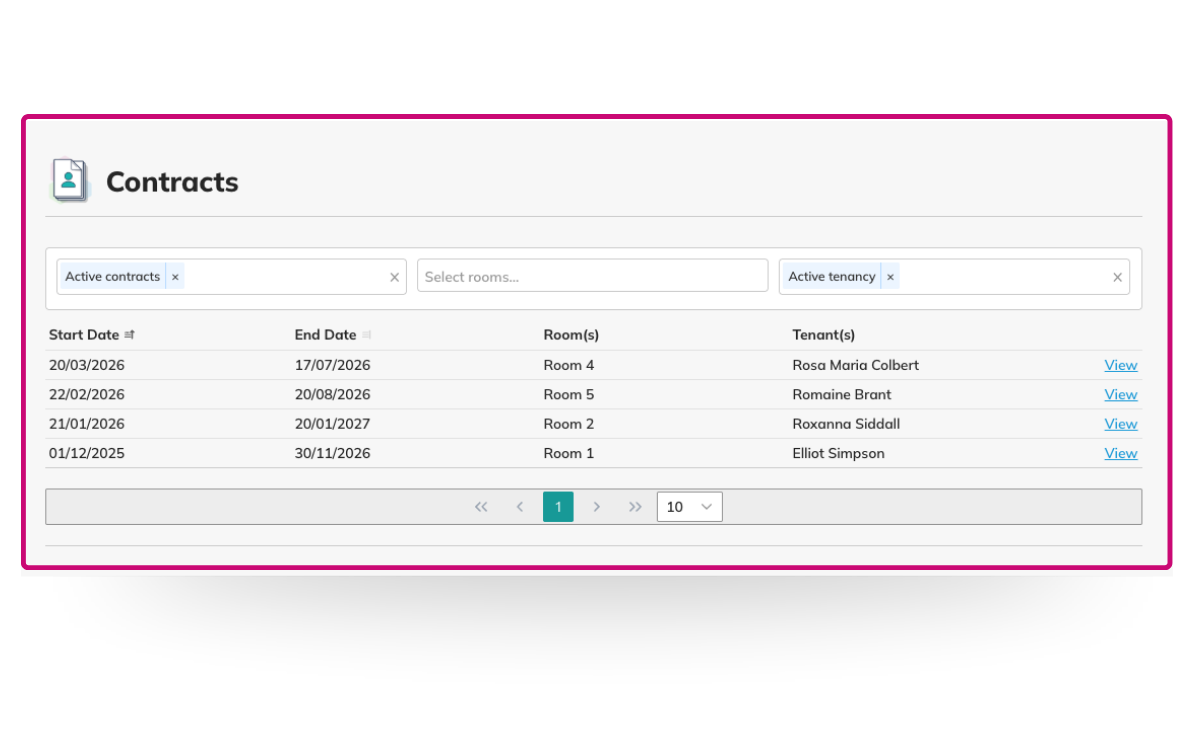
Viewings report
Keeping track of viewing activity across multiple properties isn’t always straightforward. Requests come in from different sources, some leads drop off before a viewing happens, and it can be hard to know where things are slipping.
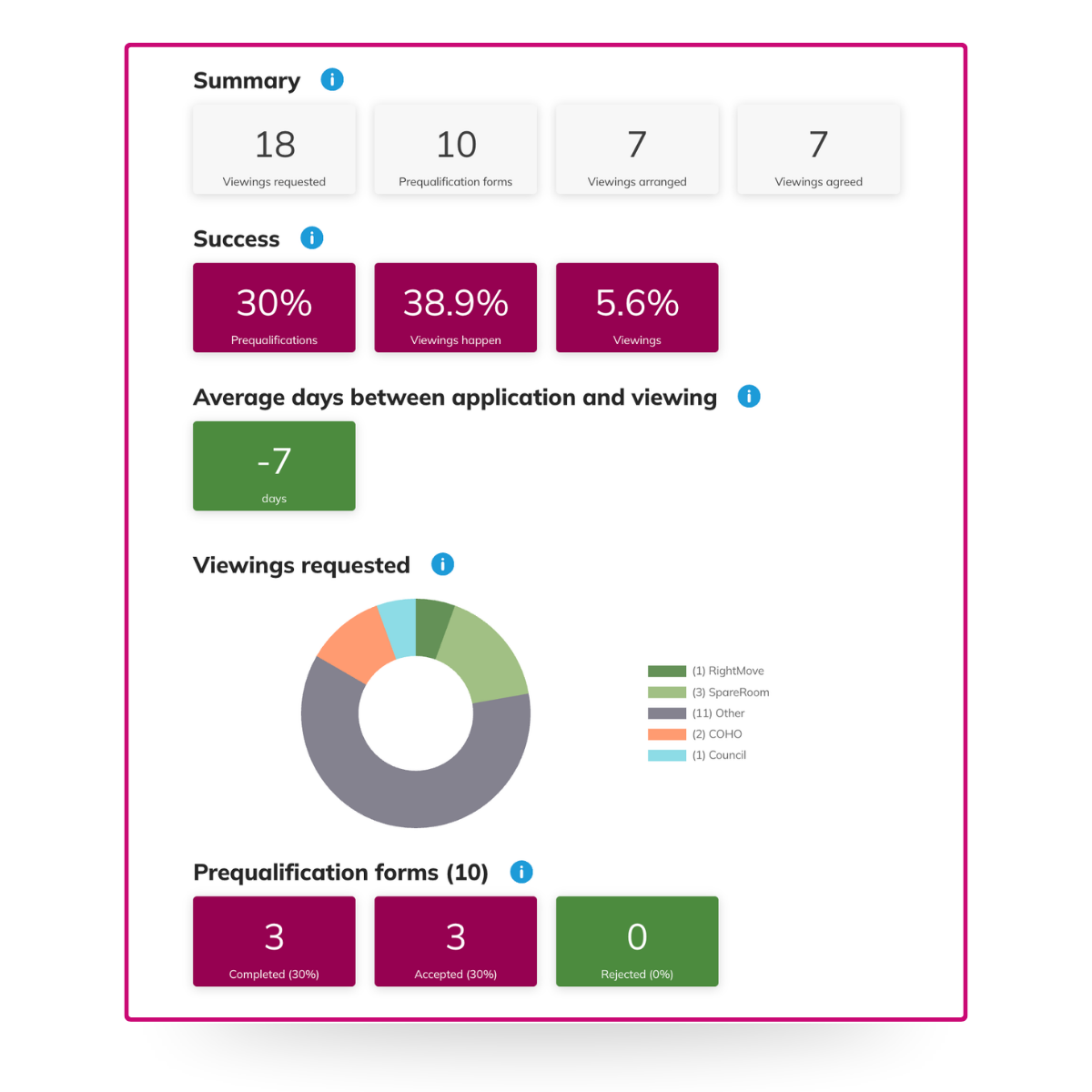
The Viewings report gives managers a clear picture of what’s happening at every stage, from initial request through to completed viewing.
You’ll find a summary of total viewings requested, arranged, and agreed, alongside conversion rates at each stage so you can see how many prequalification forms are being completed and how many viewing requests are actually turning into viewings. There’s also an average days figure showing how quickly enquiries are moving through to a viewing, and a source breakdown showing where requests are coming from: Rightmove, SpareRoom, COHO, and more.
Find it under Viewings in COHO.
We’re always building, and a lot of what lands in COHO starts with feedback from the people using it. If there’s something you’d like to see, let us know.
For regular updates, join our COHO WhatsApp community.
January was a busy one. Our dev team spent Christmas shipping features instead of eating mince pies, so we’ve spent the month catching up on announcements. Here’s everything that landed.
Export your property owner list
A small one, but genuinely useful. You can now export a CSV of your property owners directly from the Property Owners panel. Filter the list however you need, hit Export, and it’s ready to use. No workarounds, no copying things out manually.
Student lets on the Listings Widget
The COHO Listings Widget has been updated for student property managers. You can now display a house as a single property with multiple rooms, rather than listing each room individually. That’s how student lets are actually marketed and priced, typically per person per month, so the widget now reflects that.
Availability updates pull live from COHO, so when a room becomes free or nearly free, your website updates automatically. No manual edits needed.
Maintenance performance reports
You can now generate maintenance performance reports inside COHO. Open the Maintenance panel, select Generate report, fill in the form, and you’ll get a dashboard showing response times, completion rates, and where jobs are getting stuck.
If you manage multiple teams, or you’ve just been relying on gut feel and chased spreadsheets to gauge performance, this gives you a standardised view without having to build it yourself.
Context-aware help across the app
There’s now a Knowledge Base button built into each section of COHO. It takes you straight to the help articles relevant to wherever you are in the app, so if you’re in Tenancies, you get tenancy help; in Property Owners, you get property owner help. No hunting through generic FAQs. It’s live across the app now.
Property owners can view their tenancy agreements
Property owners now have a Contracts panel inside their dashboard, where they can see current and past tenancy agreements for their properties. That includes agreements they’ve signed directly, or that an appointed agent has signed on their behalf. Clean, simple access to the paperwork that matters to them.
Viewings report
Keeping track of viewing activity across multiple properties isn’t always straightforward. Requests come in from different sources, some leads drop off before a viewing happens, and it can be hard to know where things are slipping.
The Viewings report gives managers a clear picture of what’s happening at every stage, from initial request through to completed viewing.
You’ll find a summary of total viewings requested, arranged, and agreed, alongside conversion rates at each stage so you can see how many prequalification forms are being completed and how many viewing requests are actually turning into viewings. There’s also an average days figure showing how quickly enquiries are moving through to a viewing, and a source breakdown showing where requests are coming from: Rightmove, SpareRoom, COHO, and more.
Find it under Viewings in COHO.
We’re always building, and a lot of what lands in COHO starts with feedback from the people using it. If there’s something you’d like to see, let us know.
For regular updates, join our COHO WhatsApp community.