A few updates landed in February. Here’s what’s live.
Remove a tenant from a tenancy
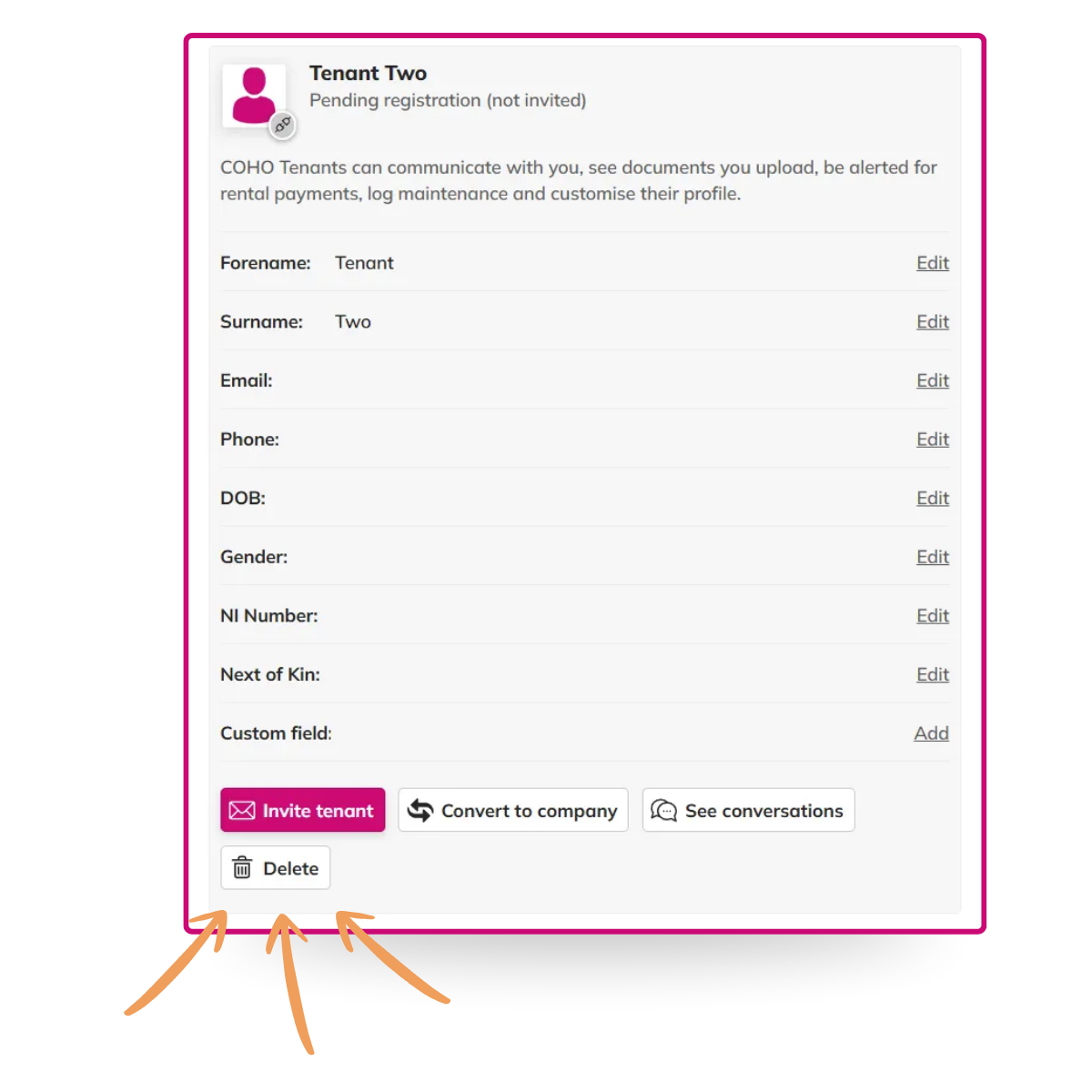
If a tenancy has multiple tenants, you can now remove an individual tenant yourself without having to contact support. Open the tenancy, go to Tenant Information, select the tenant and click Delete.
See when jobs were shared with suppliers
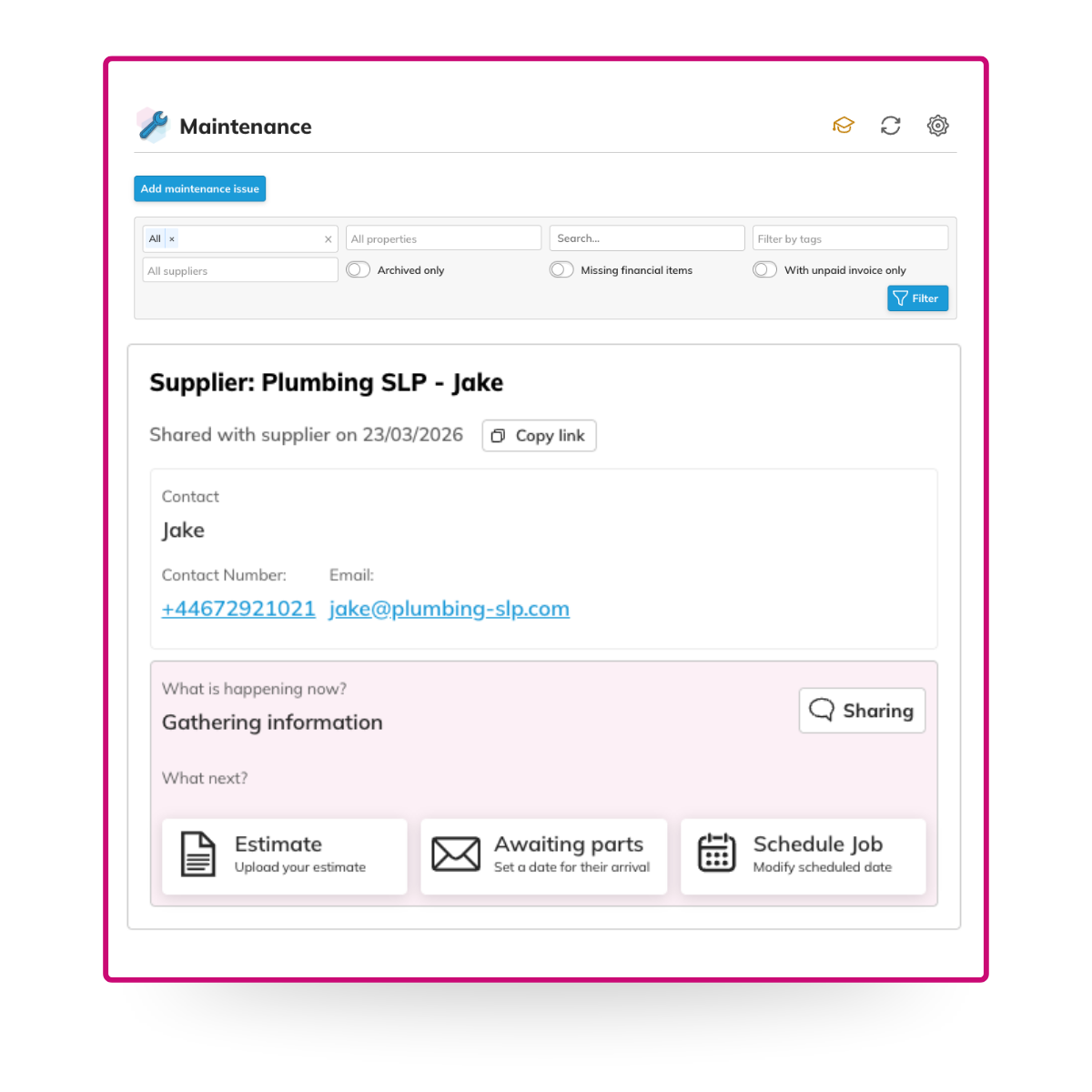
You can now see exactly when a maintenance job was last shared with a supplier. Useful for chasing follow-ups and confirming something has actually been sent, rather than assuming. Check the timestamp in the Maintenance panel under In Progress jobs.
Building-level compliance documents
If you manage a block with multiple properties, you no longer need to upload the same compliance document to every individual flat. You can now assign a document to the building, and it applies across all properties within that block.
When adding a compliance document to a property inside a block, you’ll see the option to assign it to the property or the building. Select building, and it covers the whole block. If your buildings are already set up with properties allocated, there’s no additional setup needed.
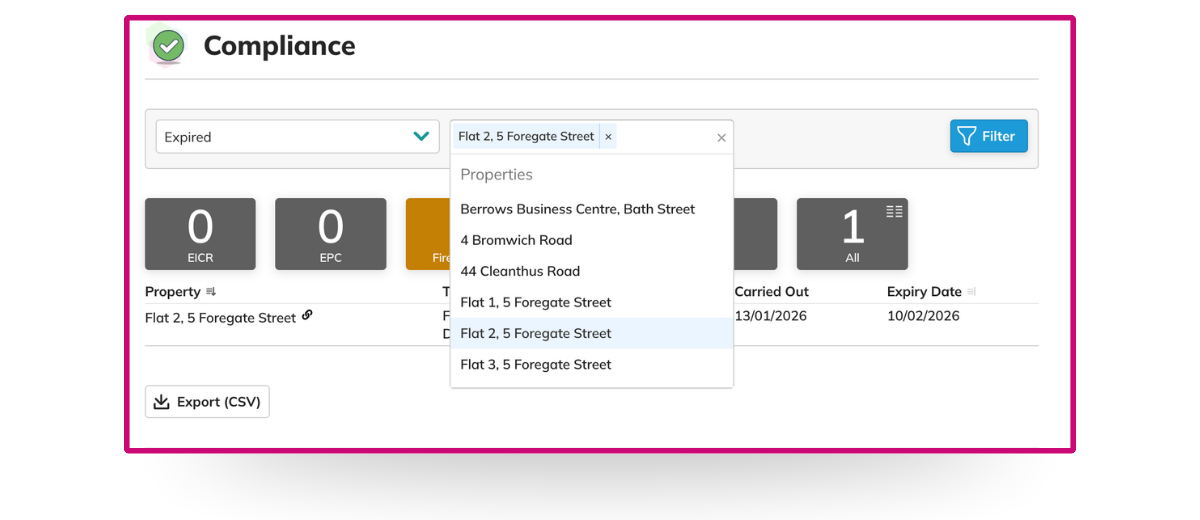
Compliance panel updates: expired vs expiring, and new filters
Two changes to the Compliance panel that make it more useful when you’re managing a large portfolio.
First, compliance items are now separated into Expired and Expiring, so you can see at a glance what needs immediate attention and what’s coming up, without scanning one long mixed list.
Second, you can now filter compliance items by property or tagged properties. If you’re managing hundreds of units, this means you can pull up exactly what you need without scrolling through everything else.
Both updates are live inside the Compliance panel.
We’re always building, and a lot of what lands in COHO starts with feedback from the people using it. If there’s something you’d like to see, let us know.
For regular updates, join our COHO WhatsApp community.
A few updates landed in February. Here’s what’s live.
Remove a tenant from a tenancy
If a tenancy has multiple tenants, you can now remove an individual tenant yourself without having to contact support. Open the tenancy, go to Tenant Information, select the tenant and click Delete.
See when jobs were shared with suppliers
You can now see exactly when a maintenance job was last shared with a supplier. Useful for chasing follow-ups and confirming something has actually been sent, rather than assuming. Check the timestamp in the Maintenance panel under In Progress jobs.
Building-level compliance documents
If you manage a block with multiple properties, you no longer need to upload the same compliance document to every individual flat. You can now assign a document to the building, and it applies across all properties within that block.
When adding a compliance document to a property inside a block, you’ll see the option to assign it to the property or the building. Select building, and it covers the whole block. If your buildings are already set up with properties allocated, there’s no additional setup needed.
Compliance panel updates: expired vs expiring, and new filters
Two changes to the Compliance panel that make it more useful when you’re managing a large portfolio.
First, compliance items are now separated into Expired and Expiring, so you can see at a glance what needs immediate attention and what’s coming up, without scanning one long mixed list.
Second, you can now filter compliance items by property or tagged properties. If you’re managing hundreds of units, this means you can pull up exactly what you need without scrolling through everything else.
Both updates are live inside the Compliance panel.
We’re always building, and a lot of what lands in COHO starts with feedback from the people using it. If there’s something you’d like to see, let us know.
For regular updates, join our COHO WhatsApp community.